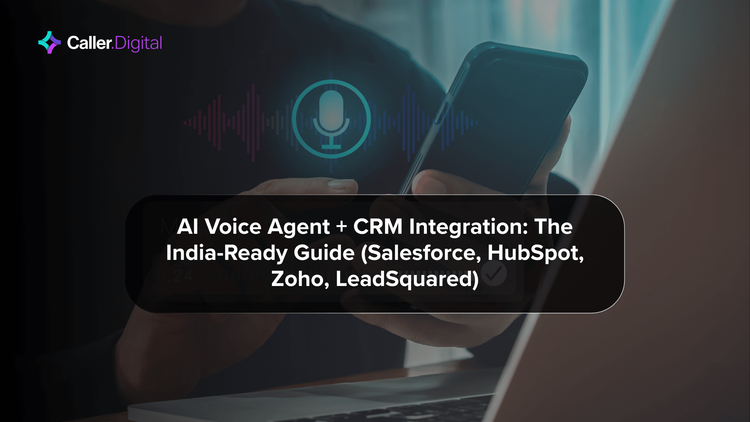
AI Call Bot for CRM Integration: Automatic Call Logging, Lead Sync & Follow-Up Automation
Your sales team makes a call. The AI voice bot handles it. Forty-five minutes later, someone checks Salesforce — and there's nothing logged.
This is the silent failure mode that wipes out 60-70% of the ROI from an AI calling deployment. The call happened. The lead was qualified. The outcome was promising. But because the CRM wasn't updated, no follow-up got scheduled, the lead sat in limbo, and a competing brand closed it three days later.
CRM integration is not a nice-to-have in AI call bot deployments. It is the mechanism that converts a call into a business outcome. Without it, every AI call is an isolated event. With it, every call feeds a system that remembers, prioritises, and acts.
This guide covers how AI call bots integrate with India's most common CRMs — Salesforce, Zoho CRM, HubSpot, LeadSquared and Kylas — the architecture options available, and what each integration actually enables on the sales floor.
Why CRM Data Quality Breaks Without Automation
The manual call logging problem in India is well-documented. A 2024 analysis of Indian enterprise sales teams found that 76% of CRM entries made manually after calls were incomplete — missing at least one of: call outcome, next action, customer objection, or deal stage. The median time a sales rep spent logging a single call was 14.7 minutes. For a team making 80 calls a day, that's 20 hours of admin per day across the team.
The problem compounds over time. Incomplete entries lead to wrong segmentation. Wrong segmentation leads to irrelevant follow-up messages. Irrelevant messages train customers to ignore your outreach. By the time you diagnose the problem, you have a database that looks full but behaves empty.
AI call bots solve this at the source. When the AI handles the call, there's a complete structured record of every interaction: call duration, language used, customer intent signals detected, specific questions asked, outcome confirmed, and any data collected mid-call (address corrections, EMI date preferences, appointment slots). All of this can be written to the CRM automatically, within seconds of the call ending.
The 5-Minute Lead Response Rule and What It Means for AI-CRM Integration
The most validated benchmark in B2C lead management is the 5-minute rule: leads contacted within 5 minutes of form submission are 391% more likely to qualify than leads contacted after 30 minutes. After 10 minutes, conversion rates drop by 80%.
For Indian businesses, most leads come through digital channels — Facebook Lead Ads, Google Ads, website forms, WhatsApp — and manual processes cannot consistently meet the 5-minute window. A human caller has to be free, has to receive the assignment, has to dial, and often gets no answer on the first attempt.
An AI call bot integrated with your CRM can be configured to trigger within 60-90 seconds of a lead arriving in the system. The CRM webhook fires when a new record is created; the calling platform receives the payload, dials the number, and begins the qualification conversation before the prospect has moved to the next tab. In Zoho CRM, this is a two-step Deluge script. In Salesforce, it's a flow with an outbound API callout. In LeadSquared, it's a workflow trigger with a webhook action.
The qualification data collected during the call — budget, timeline, decision-maker status, specific requirement — flows back to the CRM as standard field values, no manual entry required.
CRM-by-CRM Integration Architecture
Salesforce
Salesforce integration runs through the Salesforce REST API or event-driven architecture via Platform Events. The AI call bot connects as a Connected App with OAuth 2.0 authentication.
Inbound trigger flow: New Lead or Contact record created → Apex trigger or Flow fires → REST API callout to calling platform → AI dials the number → call outcome data returned via callback → Lead or Contact record updated with disposition, notes, and next-step task.
What gets auto-populated: Call outcome (connected/voicemail/no-answer), call duration, transcript summary, detected intent (interested/not interested/needs follow-up), specific data captured (e.g., city, product preference), and a follow-up task with a due date based on the call outcome.
Salesforce-specific advantage: Einstein Lead Scoring uses call outcome data as a signal. Leads marked "high intent" by the AI bot score higher in Einstein, float to the top of human agent queues faster, and close at 2-3× the rate of uninformed leads.
Zoho CRM
Zoho CRM integration uses the Zoho CRM API v3 combined with Zoho Flow for event orchestration, or Deluge scripting for complex conditional logic.
Inbound trigger: New Lead created → Zoho Flow webhook → calling platform API → AI dials → outcome webhook back to Zoho Flow → Lead fields updated, activity logged, follow-up task created.
The Zoho advantage for Indian teams: Zoho CRM is the most common CRM in Indian SME and mid-market businesses. The Zoho ecosystem — Zoho CRM + Zoho Campaigns + Zoho Desk — allows a single AI call outcome to trigger an email sequence, update a helpdesk ticket, and schedule an SMS reminder, all within the same platform without custom code.
Practical setup time: 3-5 days for a competent Zoho admin to build a working integration. Pre-built templates from Caller Digital reduce this to 1-2 days.
HubSpot
HubSpot integration runs through HubSpot's Workflow Actions API, which allows external platforms to register as workflow actions and receive HubSpot contact and deal data.
Trigger pattern: Contact property change (e.g., Lead Status = "Contacted by AI bot") → HubSpot Workflow → custom action fires → call outcome returned → contact updated, deal stage advanced.
What HubSpot enables uniquely: HubSpot's sequence tool can be paused or modified based on AI call outcomes. If the AI bot determines a prospect is in an active evaluation and wants a demo, the sequence pauses and a demo scheduling workflow fires instead. This level of contextual sequencing is difficult to achieve in most CRMs without HubSpot's workflow engine.
Reporting note: HubSpot's native call logging supports a "called via AI bot" source, which appears in contact timelines and attribution reports. Sales managers can track AI-initiated vs human-initiated contact rates in the same dashboard.
LeadSquared
LeadSquared is the dominant CRM for Indian real estate, edtech, and financial services — sectors that together account for the largest share of AI calling deployments in India.
LeadSquared's native telephony integration framework (the LeadSquared CTI API) makes it one of the most straightforward platforms to integrate with AI call bots.
Key LeadSquared-specific features:
- Activity API: AI call outcomes post directly to the Lead Activity timeline — visible to human agents without leaving LeadSquared
- Smart Views: AI call outcomes update lead scores, which shifts leads between smart views automatically — warm leads float up, cold leads get suppressed
- Drip campaigns: Call outcomes trigger or pause pre-configured drip sequences. A lead who answered and asked for a callback in 2 days gets a different drip than one who asked to be removed
For real estate teams using LeadSquared with IVR-to-human handoff workflows, AI call bots integrate at the IVR layer — the AI handles qualification, then passes enriched lead data into LeadSquared before connecting to a human agent. The human agent sees the full context on their screen before they say hello.
Kylas CRM
Kylas is a growth sales CRM designed for Indian SMBs and is gaining market share particularly in D2C, manufacturing, and field sales. Its integration model uses webhook-based two-way sync.
Trigger architecture: New Kylas Deal or Lead → webhook to calling platform → AI dials → call outcome payload back to Kylas → Deal stage updated, notes logged, follow-up activity created.
Kylas-specific note: Kylas's pipeline automation rules can be configured to move deals through stages based on AI call outcomes — no manual drag-and-drop required. A deal where the AI confirmed a meeting automatically advances to "Meeting Scheduled" stage and fires a calendar invite.
What Automatic Call Logging Actually Captures
The value of CRM integration extends beyond "did the call happen." A well-configured AI call bot captures and logs:
Structured outcome fields:
- Call connected (yes/no)
- Voicemail left (yes/no)
- Outcome category (interested/not interested/callback requested/transferred to human/wrong number/language barrier)
- Detected language (Hindi/English/Tamil/etc.)
- Call duration in seconds
Extracted data points:
- Any information the customer provided during the call (name correction, address, preferred time, product choice)
- Specific objections raised ("I already have insurance", "Call me next week", "What is the interest rate")
- Commitment made ("Yes, I'll pay by Friday", "Book me for 11am Tuesday", "Send me the WhatsApp link")
Follow-up instructions auto-generated:
- Callback scheduled with specific date/time
- Human escalation flag with full transcript
- Specific information to send (pricing sheet, product brochure, WhatsApp number)
All of this writes to CRM fields within 30-60 seconds of call end. No human involved in the logging step.
Integration Architecture Options: Webhook, Native, Middleware
There are three integration patterns for connecting AI call bots to CRMs, each with different complexity and capability profiles.
Webhook integration (most common): The calling platform and CRM exchange data through webhooks — HTTP POST requests triggered by events. Simple to configure, works with any CRM that supports webhooks, typically set up in 1-3 days. Suitable for straightforward use cases: log outcome, update field, create task. Limitation: real-time bidirectional sync is harder; complex conditional logic requires custom code at the webhook handler.
Native integration (best experience): The calling platform has a pre-built integration with the specific CRM. Examples: Caller Digital's native LeadSquared integration, Zoho Phonebridge integration, HubSpot CTI integration. Setup in hours, not days. UI built into the CRM interface. Supports richer data exchange. Limitation: only available for the CRMs the platform has invested in building native connectors for.
Middleware integration (most flexible): Tools like Zapier, Make (formerly Integromat), or n8n sit between the calling platform and the CRM, routing data and handling conditional logic. Supports any CRM with an API, enables multi-step automation (e.g., AI call outcome → CRM update → Slack notification → email sequence trigger → SMS). Limitation: additional cost, additional system to manage, latency added by the middleware layer (typically 5-30 seconds).
For most Indian businesses deploying for the first time, webhook integration is the fastest path to production. Middleware suits teams with complex multi-system workflows. Native integration is preferable when available.
The Lead Follow-Up Automation Flywheel
The full ROI from AI-CRM integration emerges when you build a complete follow-up flywheel — not just logging, but acting.
Stage 1 — AI call qualifies and logs: Lead arrives → AI calls within 90 seconds → qualification complete → CRM updated with outcome and lead data → follow-up task created with specific instructions.
Stage 2 — CRM routes to human at the right moment: Hot leads (interested, wants callback, asked for demo) float to top of human agent queue with full context. Warm leads (interested but not ready) enter a 7-day nurture sequence with touchpoints calibrated to what the AI learned. Cold leads (not interested, wrong number) are suppressed from immediate outreach and added to a 30-day re-engagement cadence.
Stage 3 — AI handles follow-up calls at scale: Day 3 reminder calls for leads who asked for follow-up. Day 7 re-engagement calls for leads who went quiet. Appointment confirmation calls 24 hours and 2 hours before booked meetings. All logged back to CRM automatically.
Stage 4 — Human closes with full context: When the human finally speaks to the lead, they have: full AI call transcript, detected intent score, specific questions the lead asked, and any commitments made. The first sentence of the conversation can be: "Hi Priya, I understand you spoke with our AI assistant yesterday and were interested in the 3-year plan at ₹8,500 — is that still on your radar?" Not: "Hi, can I ask what you're looking for?"
This four-stage flywheel is what separates AI call bot deployments that produce 3-5× lead-to-demo conversion improvement from those that produce 10-20%.
Implementation Timelines for Indian Teams
Week 1: CRM audit — map current lead fields, identify gaps (what data do you need that isn't being captured today?), confirm webhook capability, set up test environment.
Week 2: Integration build — webhook or native connector configured, test calls run, field mapping validated, call outcome categories agreed and configured.
Week 3: Pilot — 10-15% of leads flow through the AI call + CRM integration. Monitor for data quality issues, field mapping errors, duplicate record creation.
Week 4+: Ramp and optimise — increase volume, tune call outcomes based on human agent feedback, add follow-up automation sequences.
Teams that invest in proper CRM integration in weeks 1-2 consistently outperform teams that treat integration as a phase 2 project. The data quality benefit compounds — a well-logged database in month 6 produces significantly better segmentation and targeting than one patched together after the AI calling was already running.
What to Ask Your Voice AI Vendor About CRM Integration
Before signing any AI calling contract, ask these six questions:
- Which CRMs do you have native integrations for, and what does that integration actually log? (Not "we support Zoho" — what fields get written, what events trigger the write, what happens on call failure)
- What is the latency between call end and CRM update? (Acceptable: under 60 seconds. Poor: batch updates every 30 minutes)
- Does the integration support bidirectional sync — can CRM updates trigger call actions? (e.g., lead stage change triggers immediate AI call)
- How are duplicate records handled? (AI calls often create duplicate leads if the integration doesn't de-duplicate on phone number or email)
- Can I map custom fields, not just standard fields? (Your CRM likely has custom fields for your specific business — the integration should write to them)
- What happens to the call data if the CRM is unavailable? (Acceptable: data queued and synced on recovery. Poor: data lost)
The answers to these six questions reveal more about integration quality than any sales demonstration.
Frequently Asked Questions
Tags :
With a strong background in content writing, brand communication, and digital storytelling, I help businesses build their voice and connect meaningfully with their audience. Over the years, I’ve worked with healthcare, marketing, IT and research-driven organizations — delivering SEO-friendly blogs, web pages, and campaigns that align with business goals and audience intent. My expertise lies in turning insights into engaging narratives — whether it’s for a brand launch, a website revamp, or a social media strategy. I write to build trust, tell stories, and make brands stand out in the digital space. When not writing, you’ll find me exploring data analytics tools, learning about consumer behavior, and brainstorming creative ideas that bridge the gap between content and conversion.